If you have ever used apps like Google Pay, PhonePe, or Paytm, you’ve probably heard the term UPI ID. But what exactly is it?
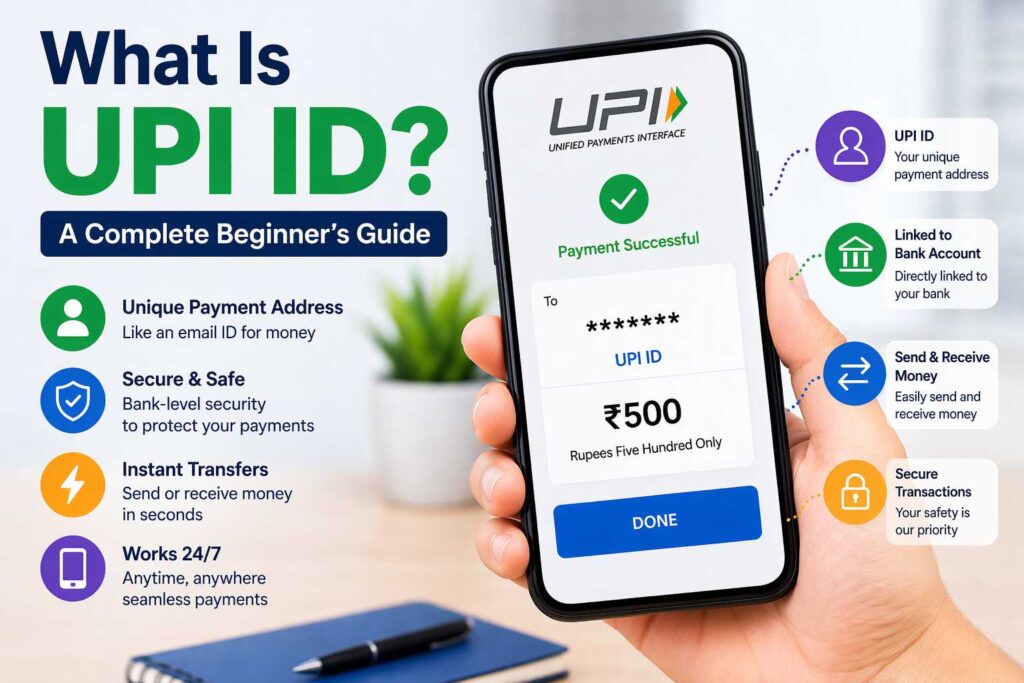
A UPI ID (Unified Payments Interface ID) is a unique identifier that allows you to send and receive money digitally without sharing your bank account details.
👉 Example of a UPI ID:
- yourname@oksbi
- mobilenumber@upi
- name@paytm
Think of it like your digital payment address, just like an email ID — but for money.
How Does a UPI ID Work?
UPI works on a system developed by NPCI (National Payments Corporation of India), allowing instant bank-to-bank transfers.
Here’s how it works in simple steps:
- You create a UPI ID using a payment app
- Link your bank account
- Set a UPI PIN
- Use the UPI ID to send or receive money
When someone sends money to your UPI ID, it directly goes into your bank account — instantly.
Why Is UPI ID Important?
UPI ID has completely changed digital payments in India. Here’s why it’s important:
✅ No Need to Share Bank Details
You don’t need to share your account number or IFSC code.
✅ Instant Money Transfer
Money is transferred within seconds, 24/7.
✅ Highly Secure
Every transaction requires a UPI PIN.
✅ Works Across Apps
You can send money from one app to another easily.
Examples of UPI IDs
Here are example:
- user@upi
Different apps and banks provide different handles (like @oksbi, @ybl, etc.).
How to Create a UPI ID (Step-by-Step Guide)
Creating a UPI ID is very easy. Follow these steps:
Step 1: Download a UPI App
Install any trusted UPI app like Google Pay, PhonePe, or Paytm.
Step 2: Register Your Mobile Number
Use the mobile number linked to your bank account.
Step 3: Link Your Bank Account
The app will automatically detect your bank.
Step 4: Create UPI ID
You can create or customize your UPI ID.
Step 5: Set UPI PIN
Set a secure PIN for transactions.
✅ That’s it — your UPI ID is ready to use.
How to Find Your UPI ID?
If you already have a UPI account but don’t know your ID:
- Open your payment app
- Go to profile/settings
- Look for “UPI ID” or “Payment Address”
You’ll find your UPI ID there.
How to Use UPI ID for Payments
To Send Money:
- Open UPI app
- Select “Send Money”
- Enter receiver’s UPI ID
- Enter amount
- Enter UPI PIN
- Done ✅
To Receive Money:
- Share your UPI ID with the sender
- Or generate a QR code
Is UPI ID Safe?
Yes, UPI ID is very safe, but you should follow some precautions:
🔒 Safety Tips:
- Never share your UPI PIN
- Don’t click on unknown payment links
- Verify UPI ID before sending money
- Use official apps only
UPI uses multi-layer encryption and bank-level security.
Difference Between UPI ID and Bank Account
| Feature | UPI ID | Bank Account |
|---|---|---|
| Easy to share | ✅ Yes | ❌ No |
| Instant transfer | ✅ Yes | Depends |
| Privacy | High | Low |
| Format | name@bank | Account number |
Can You Have Multiple UPI IDs?
Yes, you can create multiple UPI IDs:
- On different apps
- Or even within the same app
Example:
- yourname@oksbi
- yourname@ybl
This helps in managing payments easily.
Common Problems with UPI ID (and Fixes)
❌ UPI ID Not Working
✔ Check internet connection
✔ Update app
✔ Re-login
❌ Payment Failed
✔ Check balance
✔ Verify UPI PIN
✔ Try again
❌ Wrong UPI ID
✔ Always double-check before sending money
UPI ID vs UPI Number – What’s the Difference?
- UPI ID: like name@bank
- UPI Number: your mobile number linked to UPI
Both can be used to send money.
Who Can Use UPI ID?
Anyone with:
- A bank account in India
- Registered mobile number
- Smartphone
Even small shopkeepers, students, and freelancers use UPI daily.
Benefits of Using UPI ID
- No cash needed
- No bank details required
- Works anytime (24/7)
- Fast and free transactions
- Accepted everywhere
Future of UPI in India
UPI is growing rapidly and may soon:
- Replace cash payments
- Expand globally
- Support more features like credit
India is becoming a leader in digital payments.
FAQs
What is an example of a UPI ID?
A UPI ID looks like: name@bank (e.g., rahul@oksbi).
Is UPI ID same as account number?
No, it is a virtual payment address linked to your account.
Can someone hack my UPI ID?
Not easily, unless you share your UPI PIN.
Is UPI free to use?
Yes, most UPI transactions are free.
Can I change my UPI ID?
Yes, in some apps you can create a new one.
Final Thoughts
UPI ID is one of the simplest and safest ways to send and receive money in India. Whether you are a beginner or a regular user, understanding how it works can make your digital payments faster and more secure.
If you haven’t started using UPI yet, now is the best time to begin.